

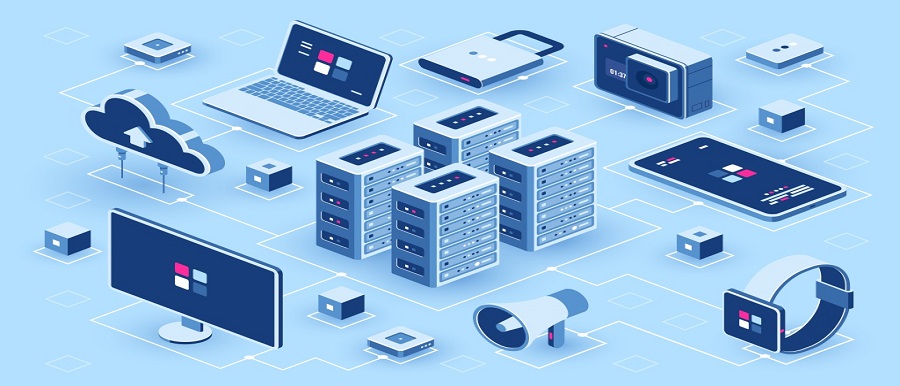

The computer has evolved from a massive, room-sized mechanical calculator into a ubiquitous, hyper-integrated electronic layer that underpins modern civilization. In its early iterations, computing hardware was built exclusively to handle discrete mathematical computations, such as artillery trajectory tables or basic financial balances. Today, modern computing architecture is defined by interconnected, multi-layered electronic components that execute billions of instructions per second, managing everything from complex web applications to spatial computing simulations.
To comprehend the nature of modern computers, one must examine the fundamental silicon architecture that enables hardware execution, the structural layers of storage systems, the coordination between software components, and the ongoing paradigm shifts pushing computing toward decentralized and specialized infrastructure.
The Structural Core of Computer Hardware
At the baseline of any digital computer is the hardware layer, a physical assembly of silicon microchips, conductive traces, and electronic components that work together based on the principles of digital logic. The foundational architecture relies on specific core components to receive, process, and output data.
-
The Central Processing Unit: Often described as the brain of the machine, the central processing unit executes instructions contained in software programs. Modern processors feature multiple independent calculation cores on a single chip, allowing the system to handle multiple application tasks in parallel.
-
The Motherboard and Bus System: The motherboard acts as the central nervous system of the computer. It houses the physical sockets for processors and memory modules, and contains printed copper tracks called buses that ferry electrical data signals between components.
-
Power Delivery and Thermal Subsystems: High-performance microprocessors generate noticeable heat due to electrical resistance. Modern hardware utilizes sophisticated cooling systems, including liquid loops or multi-pipe heat sinks, alongside digital voltage regulator modules to maintain safe operational temperatures and stable power flow.
The Memory and Storage Hierarchy
Computing systems must manipulate data quickly while retaining information safely when the physical machine is turned off. To achieve this balance, computer architecture uses a tiered memory and storage hierarchy, trading off retrieval speed for total storage capacity.
Volatile High-Speed Memory
Random Access Memory serves as the temporary working workspace for the computer. When a user launches an application, the operating system loads the program files from long-term storage into temporary memory.
Because volatile memory chips communicate with the processor via high-speed, multi-channel memory controllers, the processor can read and write data in nanoseconds. However, these memory chips require a constant supply of electrical current to retain data; as soon as the computer loses power, any information stored in temporary memory is instantly lost.
Non-Volatile Long-Term Storage
To preserve operating system files, user applications, and personal data indefinitely, computers use non-volatile storage hardware.
-
Solid-State Drives: Modern systems have largely abandoned mechanical magnetic platters in favor of flash memory chips. Solid-state drives store data by trapping electrical charges inside tiny silicon gates, allowing for instantaneous file access, high shock resistance, and read speeds that match modern motherboard data lanes.
-
Hard Disk Drives: While less common in portable consumer devices, traditional spinning hard drives remain critical in large data centers and server networks. They use magnetic heads to write data onto rotating platters, offering a highly economical method for storing petabytes of archival data where raw speed is not the primary requirement.
The Intermediary Role of the Operating System
Physical hardware components cannot perform meaningful work without a coordinated abstraction layer to direct their electronic actions. This critical management layer is the operating system.
The operating system acts as the primary orchestrator of the computer, establishing a bridge between physical circuits and user-facing application software. One of its most vital duties is processor scheduling, which divides available computing time across hundreds of active background tasks so smoothly that the user experiences seamless multitasking.
Additionally, the operating system manages physical memory allocation, ensuring that an isolated application cannot overwrite the data segments used by another active program. It also provides standardized device drivers, giving software applications a uniform way to interact with hardware peripherals like graphics cards, printers, and network adapters without needing to know the specific circuit layouts of those devices.
The Evolution of Processing Architectures
The underlying logic patterns that govern how computer chips interpret software instructions have divided into distinct architectural frameworks tailored to specific operational workloads.
Reduced Instruction Set Computing
This framework relies on a highly optimized, simplified set of core instructions designed to execute in a single clock cycle. By keeping commands basic, processors require fewer physical transistors, which significantly lowers power consumption and minimizes waste heat. This architecture is the dominant engine powering modern mobile phones, lightweight laptops, and edge devices, where thermal efficiency and battery preservation are critical design parameters.
Complex Instruction Set Computing
In contrast, this classic architecture uses a broad library of complex instructions, allowing a single command to execute multiple sub-operations, such as loading data from memory, performing a mathematical calculation, and writing the result back to storage. While this requires more complex internal chip circuitry and draws more power, it delivers exceptional raw processing performance for heavy desktop workstations, enterprise databases, and high-performance server configurations.
Peripheral Connectivity and Data Expansion Buses
A computer must interact with the external world to receive inputs and display results. Modern motherboards use standardized expansion buses to connect external peripherals and high-speed internal add-on cards.
The primary backbone for internal hardware expansion is the Peripheral Component Interconnect Express bus. This serial point-to-point data lane architecture allows expansion components, such as dedicated graphics cards or high-speed storage modules, to stream data directly to the processor without encountering system bottlenecks.
For external devices, Universal Serial Bus standards provide a unified port architecture that delivers both high-speed data transmission and electrical power delivery through a single thin cable, replacing the fragmented array of specialized audio, video, and data ports used in previous decades.
Frequently Asked Questions
What is the purpose of cache memory inside a processor chip?
Cache memory is a small, ultra-fast layer of volatile storage built directly onto the silicon die of the processor. Because accessing main memory requires data to travel across the motherboard lines, it introduces a slight delay. The processor uses internal cache layers to store copies of the most frequently used instructions and data points right next to the calculating cores, minimizing wait times and maximizing execution efficiency.
What is the functional difference between 32-bit and 64-bit computing architectures?
The bit rating of a processor architecture dictates the specific width of its data registers and the maximum size of the memory addresses it can calculate. A thirty-two-bit system can only reference a maximum of four gigabytes of physical memory. A sixty-four-bit architecture can process massive data chunks and natively address billions of gigabytes of memory, allowing modern computers to run resource-heavy applications and massive databases smoothly.
How does a computer BIOS or UEFI function during the system boot sequence?
The Unified Extensible Firmware Interface is a small firmware program stored on a dedicated flash chip on the motherboard. When the computer is powered on, this firmware runs first to perform a Power-On Self-Test, verifying that the processor, memory modules, and graphics cards are present and functioning safely. Once hardware checks clear, it locates the boot sector on the storage drive and hands control over to the primary operating system.
What is thermal throttling and how does it protect computing hardware?
Thermal throttling is a built-in safety feature that automatically lowers a processor’s operational speed and voltage when internal thermal sensors detect that temperatures are approaching dangerous limits. By slowing down its execution rate, the chip reduces its electrical current usage and generates less heat, preventing permanent physical damage to the silicon circuits when cooling systems are blocked or overwhelmed.
How does virtual memory prevent a computer from crashing when RAM is full?
When a computer runs out of physical memory due to launching too many heavy applications simultaneously, the operating system uses virtual memory management. It reserves a section of long-term storage space on the solid-state drive to act as a temporary memory extension, moving inactive background data blocks out of physical memory and onto the drive to keep active applications from crashing.
What is the role of a graphics processing unit compared to a central processing unit?
A central processing unit is designed to handle wide varieties of complex execution tasks sequentially using a few highly optimized calculation cores. A graphics processing unit is built using thousands of smaller, simpler cores running in parallel. This design makes the graphics processor exceptionally efficient at executing massive blocks of repetitive mathematical operations simultaneously, such as rendering millions of pixels on a screen or processing large artificial intelligence data models.
